The DevXP engineering team hosts office hours every Thursday at 11 a.m.
Pacific Time where we answer your questions live and help you get up and
running with Flatfile. Join
us!
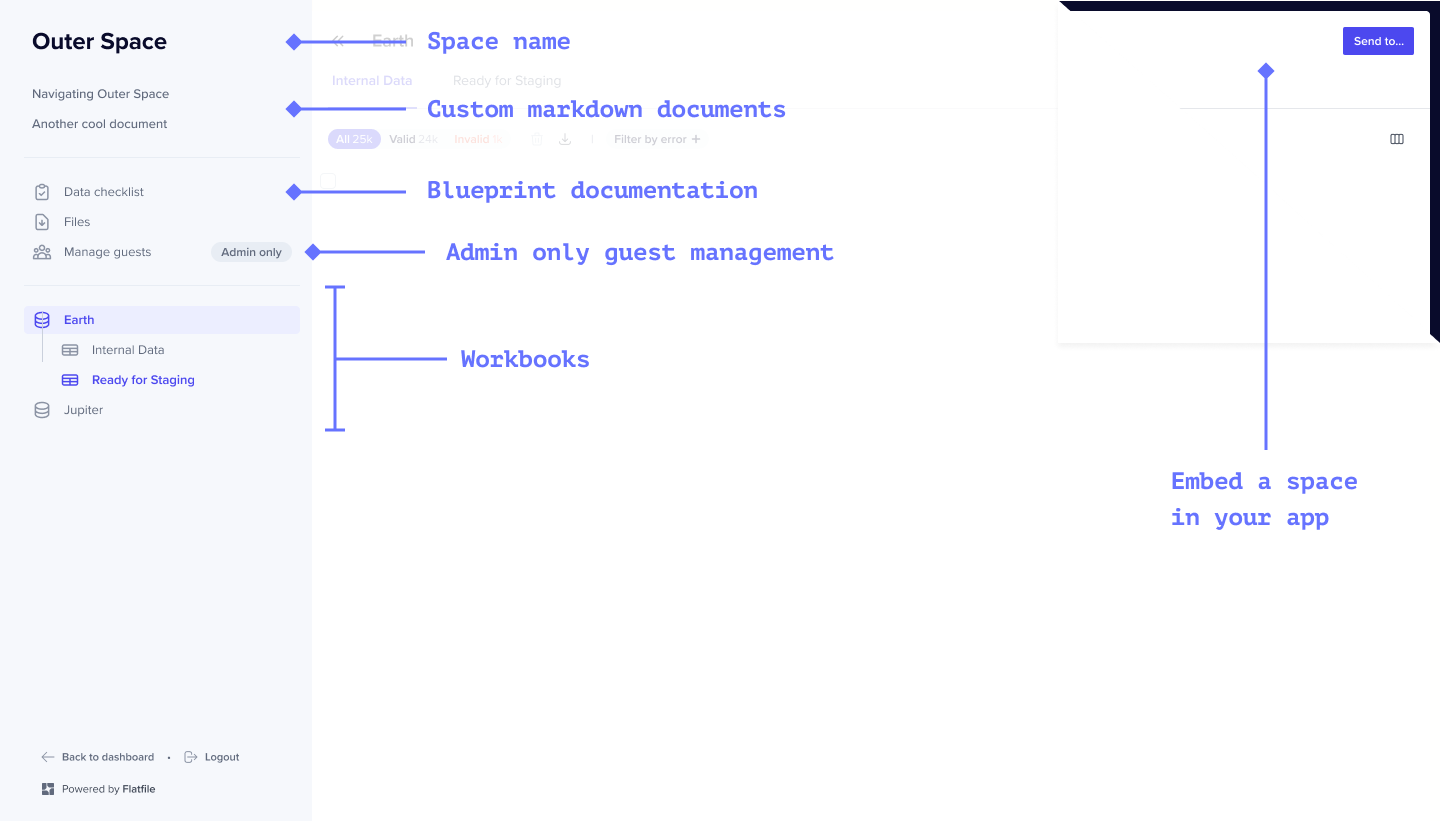
Flatfile Spaces are micro-applications, each having their own database,
filestore, and auth. Use Spaces to integrate Flatfile into your data exchange
workflow, whether that happens directly in your application or as part of a
currently offline process.
By default, all global Admins in Flatfile have access to all Spaces.
Additionally, you can configure a Space to allow for either temporary
(shared_link) or named (magic_link) Guest Users.
Spaces can be created and updated with Metadata. This could include a
company-specific identifier such as a UUID for use in API operations in the
Space.
Spaces maintain version history of their components, allowing you to restore a space to a previous point in time if needed. This feature is particularly useful for: